

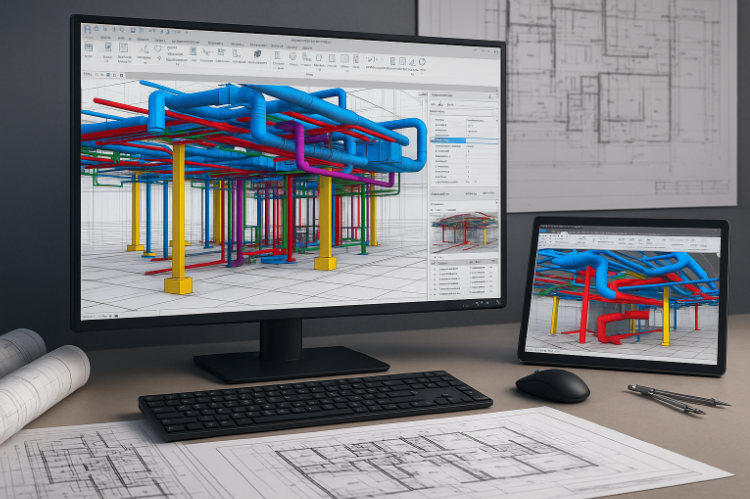

Introduction to Revit Clash Coordination
In large construction projects, even a small misalignment between MEP ducts and structural beams can lead to massive cost overruns. Revit clash coordination is a BIM-based digital process that identifies, manages, and resolves such design conflicts before construction begins. Using a unified 3D environment, Revit integrates architectural, structural, and MEP disciplines, enabling teams to visualize how every system fits together. Early detection of design clashes not only ensures design precision but also minimizes costly site rework, material wastage, and project delays.
Why Clash Coordination Matters
Without clash coordination, teams often discover errors on-site — when they’re most expensive to fix. For example, a beam cutting through an HVAC duct might force redesign and reinstallation. Revit clash coordination ensures:
- Design conflicts are resolved virtually, not physically.
- Collaboration between multiple disciplines is smooth.
- Cost, quality, and time are optimized from the start.
Impact on Projects
| Parameter | Without BIM Coordination | With Revit Clash Coordination |
|---|---|---|
| Rework Cost | 10–15% of project value | <3% of project value |
| RFIs | High | Reduced by 40–60% |
| Coordination Time | Long | 25–30% faster |
| Communication | Fragmented | Unified |
Understanding Types of Clashes
- Hard Clash: Elements occupy the same physical space (e.g., a pipe intersecting a beam).
- Soft Clash: Insufficient clearance for maintenance or safety access (e.g., HVAC too near an access hatch).
- Workflow (4D) Clash: Scheduling or sequencing conflicts (e.g., deliveries overlapping installation).
- Rebar Clash: Reinforcement bars intersecting MEP or structural elements (e.g., rebar passing through plumbing lines).
Step-by-Step Revit Clash Coordination Workflow
- Integrate architectural, structural, and MEP models into a federated model.
- Define tolerance levels and run clash tests using Revit or Navisworks.
- Generate clash reports and assign responsibilities to disciplines.
- Conduct coordination meetings to resolve clashes collaboratively.
- Update models and re-run tests to validate resolutions.
- Document all resolutions for QA/QC and stakeholder review.
Tip: Run clash detection weekly during detailed design and biweekly during early design phases to keep issues manageable.
Tools Used for Clash Detection
- Autodesk Revit: Native interference checks during modeling.
- Autodesk Navisworks Manage: Advanced clash analysis and reporting.
- BIM Track: Cloud-based issue tracking and collaborative resolution.
- Solibri Model Checker: Rule-based quality and compliance checks.
- Clash Preventer (Revit plugin): Automates soft clash and clearance checks.
Real-World Case Example
Project: Mixed-use high-rise (25+ disciplines)
Challenge: Recurring MEP vs structural conflicts in schematic design.
Solution: Weekly Revit–Navisworks coordination sessions, strict issue-tracking protocols.
Outcomes: 1,800+ clashes identified and resolved; ~8% cost savings; project completed 5 weeks earlier.
Key Benefits of Revit Clash Coordination
- Reduced rework and material waste.
- Improved collaboration and accountability.
- Faster approvals and fewer RFIs.
- Better cost and schedule predictability.
- Verified, build-ready models for site teams.
AI and Automation in Clash Detection
AI is shifting clash coordination from reactive to predictive. Predictive analytics and ML prioritize high-impact clashes, NLP structures issue logs into actionable categories, and computer-vision techniques analyze 3D geometry for subtle interferences. Cloud AI assistants can reduce detection time by up to 60% by learning recurring clash patterns and recommending fixes.
Challenges in Implementation
- Data inconsistency: Different LODs across discipline models. Solution: Enforce BEP and clear modeling standards.
- Interoperability: Multiple software formats. Solution: Use IFC and standard exchange protocols.
- Training gaps: Teams unfamiliar with advanced workflows. Solution: Regular training and pilot projects.
- Resistance to change: Preference for traditional 2D workflows. Solution: Demonstrate ROI with pilot projects.
Conclusion
Revit clash coordination is essential for modern construction delivery. By integrating models, running repeatable clash detection, and resolving issues collaboratively, teams can deliver projects that are cost-effective, on schedule, and high quality. As AI and digital twins converge with Revit workflows, clash coordination will become an even more proactive quality-assurance practice.
Work with Our Experts
Want to implement clash-free coordination for your next project? [Your Company Name] provides Revit-based coordination services, tailored BEPs, and coordination audits to ensure projects deliver on time and within budget. Contact us to schedule a demo.
FAQs
Q: What is the main purpose of Revit clash coordination?
A: To identify and resolve design conflicts between building systems before construction begins.
Q: How often should clash detection be performed?
A: Weekly during design phases and biweekly during early planning is a recommended cadence.
Q: Can Revit perform clash detection without Navisworks?
A: Yes — Revit has basic interference checks, but Navisworks offers more advanced reporting and grouping features.