

A practical pre-issue review for architects, BIM teams, builders, contractors, and AEC production teams
Category: Construction Documentation / QA/QC
Recommended URL: /drawing-set-qaqc-residential-cd-package/
Estimated reading time: 10–12 minutes
A residential construction-documentation package can contain every expected sheet and still create problems during permitting, pricing, coordination, or construction.
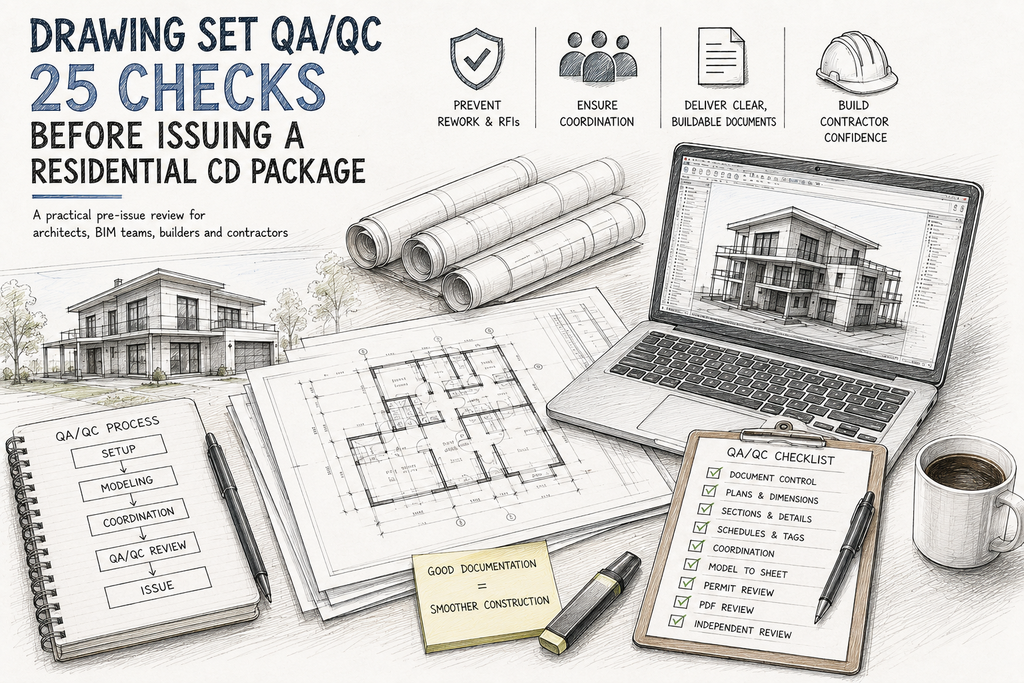
A Drawing Set Can Look Complete and Still Be Wrong
Why? Because construction documents are connected. A change to one wall can affect dimensions, doors and windows, elevations, sections, details, finishes, structural coordination, MEP coordination, and schedules.
A roof change can affect the elevations, sections, roof details, drainage, structure, and exterior materials. A revised window can affect the floor plan, elevation, schedule, wall section, interior documentation, and details.
So the real QA/QC question is not:
“Does every sheet look finished?”
It is:
“Does the entire package communicate one coordinated and buildable version of the project?”
That is the difference between simply checking drawings and actually performing construction-document QA/QC.
Table of Contents
- 1. Why Residential CD QA/QC Matters
- 2. The 25-Check QA/QC Framework
- 3. Document Control
- 4. Plans and Dimensions
- 5. Sections, Elevations and Details
- 6. Schedules, Tags and References
- 7. Structural and MEP Coordination
- 8. Revit Model-to-Sheet QA
- 9. Permit and Constructability Review
- 10. Final PDF Review
- 11. Building QA/QC Into the Production Workflow
- 12. Conclusion
- 13. Frequently Asked Questions
1. Why Residential CD QA/QC Matters
QA/QC is often treated as something that happens immediately before issuing drawings. That approach is risky.
By the time a project reaches the final issue, an error may already exist in the model, appear in multiple views, propagate into schedules, and become embedded in details.
The later an error is discovered, the more production work may be affected.
Model → Views → Drawings → Details → Schedules → Coordination → PDF → Issue
The objective is not simply to find drafting mistakes. It is to identify information conflicts before another professional has to deal with them.
2. The 25-Check Residential CD QA/QC Framework
Use this as a practical baseline before issuing a residential construction-document package.
| # | Check | What to Verify |
| 01 | Issue identification | Project name, phase, date and issue purpose |
| 02 | Sheet index | Required sheets are present and correctly listed |
| 03 | Revision control | Revision dates, descriptions and affected sheets |
| 04 | Title blocks | Project and consultant information |
| 05 | Sheet numbering | No duplicate, missing or obsolete sheets |
| 06 | Floor-plan geometry | Walls, openings, stairs, rooms and fixtures |
| 07 | Overall dimensions | Dimensions reconcile with the plan |
| 08 | Critical dimensions | Construction-critical offsets are clear |
| 09 | Door tags | Tags match the door schedule |
| 10 | Window tags | Tags, sizes and types agree |
| 11 | Room information | Names, numbers and required data |
| 12 | Sections | Levels, heights, roofs and assemblies |
| 13 | Elevations | Openings, materials and exterior geometry |
| 14 | Wall types | Plan, section, legend and detail consistency |
| 15 | Detail references | References point to the correct details |
| 16 | Detail coordination | Critical interfaces are resolved |
| 17 | Schedules | Door, window, finish and equipment information |
| 18 | Keynotes / legends | Notation and symbols are consistent |
| 19 | Structural coordination | Columns, beams, openings and bearing conditions |
| 20 | MEP coordination | Shafts, ceilings, equipment and service routes |
| 21 | Permit & code items | Applicable project requirements |
| 22 | Model-to-sheet consistency | Model, views, tags, schedules and sheets |
| 23 | Production cleanup | Obsolete/internal content is removed |
| 24 | PDF output | Scale, lineweights, text and legibility |
| 25 | Independent review | Final review by a qualified reviewer |
This is a baseline checklist, not a replacement for project-specific standards, consultant review, code compliance review, or the responsible architect/engineer’s professional judgment.
VISUAL 2 — 25-CHECK QA/QC FRAMEWORK

3. Document Control
Before checking whether the drawings are correct, check whether you are reviewing the correct drawing set.
Verify:
- Project name
- Project address
- Drawing phase
- Issue date
- Drawing index
- Revision sequence
- Sheet numbering
- Issue purpose
Then look for information that should no longer be there:
- Superseded drawings
- Old details
- Previous design options
- Temporary notes
- Internal comments
- Outdated consultant information
A coordinated drawing issued from the wrong revision is still a project problem.
The simple test
Could a contractor, consultant, permit reviewer, or project manager identify the current set without asking the production team? If not, document control needs attention.
4. Plans and Dimensions
The floor plan is one of the highest-risk areas because multiple types of information converge there.
Review:
- Walls
- Openings
- Doors
- Windows
- Stairs
- Fixtures
- Rooms
- Dimensions
- Grids
- References
Do the dimensions actually close?
Do not check dimensions only against the Revit model. Check the dimension chain against itself.
Overall dimension ≠ sum of intermediate dimensions
That conflict needs to be investigated before issue.
Can the building be set out from the drawing?
Imagine a contractor laying out the building using only the documentation. Can they determine exterior wall locations, interior wall locations, opening locations, stair positions, and critical offsets without having to guess the design intent? If not, the documentation needs another review.
5. Sections, Elevations and Details
A project can look correct in plan and still contain major problems when viewed vertically. That is why sections and details must be checked against the plans.
Sections
- Floor levels
- Floor-to-floor heights
- Ceiling heights
- Roof build-up
- Wall assemblies
- Parapets
- Stairs
- Slab edges
- Vertical transitions
Elevations
- Window positions
- Door positions
- Roof geometry
- Exterior materials
- Major architectural elements
Details
- Window heads
- Window sills
- Wall bases
- Roof edges
- Parapets
- Balconies
- Wet areas
- Floor transitions
- Penetrations
The purpose of a construction detail is to remove uncertainty from the field.
VISUAL 3 — PLAN + SECTION + DETAILS COORDINATION

6. Schedules, Tags and References
Schedules are not separate from the drawings. They are another representation of the same project information.
A door schedule can look perfectly formatted while a door tag on the plan points to the wrong type.
The same issue can occur with:
- Windows
- Rooms
- Finishes
- Equipment
- Materials
- Hardware
Model → Tag → Schedule → Drawing
When one element changes, determine where else that information appears. This is where structured BIM workflows can provide significant value—but only when the underlying model information is properly maintained.
7. Structural and MEP Coordination
Architectural QA/QC should not stop at the architectural model. Where consultant information is available, review the major interfaces between disciplines.
Structural coordination
- Columns
- Beams
- Bearing walls
- Structural openings
- Stairs
- Roof framing
- Slab edges
MEP coordination
- Shafts
- Ceiling zones
- Plumbing walls
- Equipment rooms
- Major duct routes
- Service clearances
Residential projects can be particularly sensitive because ceiling and wall cavities may be limited.
A clash-free model does not automatically mean a constructible project.
A system can technically avoid a clash while still being difficult to install, access, maintain, or sequence.
8. Revit Model-to-Sheet QA
“The Revit model is correct, therefore the drawings are correct.”
That does not necessarily follow.
The model and the documentation require separate checks.
- Levels
- Grids
- Phases
- Linked models
- View templates
- View ranges
- Filters
- Annotation visibility
- Tags
- Schedules
- Detail components
- Sheet placement
Then check the actual sheets. The client, contractor and permit reviewer are not receiving your internal Revit setup. They are receiving the issued documentation.
9. Permit and Constructability Review
QA/QC does not replace professional code review. However, it can help identify documentation gaps before submission.
Depending on the project and jurisdiction, review applicable requirements relating to:
- Egress
- Stairs
- Guards
- Handrails
- Accessibility
- Fire-resistance
- Energy requirements
- Life-safety information
- Required permit notes
Then move beyond compliance.
- Can the trades install the materials?
- Is sufficient working space available?
- Are required clearances provided?
- Are important interfaces detailed?
- Does the contractor have enough information to construct the design without reconstructing the architect’s intent?
That is where constructability review becomes important.
10. Final PDF Review
Never perform the final review only inside Revit. Review the actual issued PDF.
- Sheet order
- Page count
- Drawing scale
- Lineweights
- Text size
- Detail visibility
- Crop regions
- Revision visibility
- Keynotes
- Legends
- Overall legibility
Zoom into individual sheets. Then zoom out and look at the entire package. A sheet can look correct individually while the complete package still contains inconsistencies.
Separate production from review
The person who produced a drawing is often too familiar with it. A second qualified reviewer can identify problems the original producer has become accustomed to overlooking.
VISUAL 4 — MODEL → SHEETS → PDF → FINAL REVIEW

11. Building QA/QC Into the Production Workflow
The strongest QA/QC process does not begin at 100% CDs.
SETUP → MODELING → COORDINATION → 60% CD → 90% CD → FINAL ISSUE
The purpose of the review changes at each stage.
Early stage
- Model structure
- Standards
- Major geometry
- Levels
- Grids
- Coordination strategy
Mid-stage
- Documentation completeness
- Dimensions
- Openings
- Details
- Schedules
- Consultant coordination
Final stage
- Revisions
- References
- Permit requirements
- PDF output
- Issue control
- Final completeness
This prevents QA/QC from becoming a last-minute rescue operation.
12. Conclusion
Good construction documentation is not about producing more sheets. It is about producing consistent information across the entire set.
A wall should agree between the plan, section and detail. A door should agree between the model, plan, elevation and schedule. A structural opening should agree between architecture and structure. A ceiling should accommodate the systems that actually need to occupy it.
And the final PDF should communicate the same project that exists in the BIM model.
A complete drawing set is not necessarily a coordinated drawing set. The goal is documentation that another professional can use without having to reconstruct the design team’s intent.
13. Frequently Asked Questions
Should QA/QC happen only at 100% CDs?
No. Final review is essential, but milestone reviews identify problems earlier when they are generally easier to correct.
Can BIM eliminate documentation errors?
No. BIM can improve coordination and information management, but the model, views, annotations, schedules and final documents still require human review.
Who should perform the final QA/QC review?
Ideally, a qualified reviewer who understands the project and documentation standards but was not responsible for producing every sheet.
Does QA/QC reduce RFIs?
It can reduce RFIs caused by missing, contradictory or ambiguous information. It cannot eliminate legitimate design questions or unforeseen site conditions.
Is this 25-point checklist enough for every project?
No. It is a baseline. Each project should add its own client, consultant, code, jurisdiction and delivery requirements.
How AtekOne Supports AEC Production
AtekOne Design Solutions provides BIM and AEC production support for architecture, construction and related AEC teams.
BIM Modeling | Revit Production | Construction Documentation | Permit Drawing Sets | Shop Drawings | BIM Coordination | CAD-to-BIM | Scan-to-BIM | AEC Production Support
The objective is not simply to produce drawings. It is to help project teams turn design information into coordinated, usable and production-ready deliverables.
For architecture firms, builders and other AEC teams that need additional production capacity, an external BIM/AEC production partner can support defined project scopes and documentation milestones without requiring the client to expand its permanent production team.
AtekOne Design Solutions
https://atekone.com/
SEO Publishing Information
| SEO Title | Drawing Set QA/QC: 25 Checks Before Issuing a Residential CD Package |
| Meta Description | Learn 25 practical QA/QC checks for residential construction documents covering plans, dimensions, details, schedules, Revit, BIM coordination, permit review and final PDF issue. |
| Primary Keyword | Residential construction document QA/QC |
| Secondary Keywords | Construction document QA/QC; Residential CD sets; Revit QA/QC; BIM quality control; Construction documentation; BIM coordination; AEC production; Revit construction documentation |
| URL Slug | drawing-set-qaqc-residential-cd-package |
Recommended Internal Links
- BIM Modeling Services
- Construction Documentation
- Revit Modeling
- Permit Drawing Services
- BIM Coordination
- Shop Drawing Services
- CAD to BIM
- Scan to BIM
Also link this article forward to future related articles such as “15 Construction Documentation Mistakes That Cost Thousands” and “Why Small Drawing Errors Become Expensive Site Problems.”